

Overview
You can now use Legora directly when sending a request in Slack. Anyone in your Slack workspace can mention @Legora to open a tracked request, such as a contract review, deal support, or a regulatory question. A request posted in a Slack thread usually has no owner and no record. Someone has to copy it into another tool before the work can start. With @Legora in the channel, the request is captured from the message itself:- If anything is missing, you’re asked for it in the same thread.
- The request is then sent to the right team. Depending on your team’s setup, an owner can also be assigned.
- The work is tracked, and the reply comes back to the Slack thread.
Before you start
Mentioning @Legora does not require a Legora license. Anyone in the channel can raise a request. Before that works:- An Admin connects the Slack workspace in Legora.
- @Legora is in the channels where requests should be raised.
Send a request
Once @Legora is in the channel, sending a request looks like this:- Mention @Legora and describe what you need.
- Attach the files the team should see.
- Send the message. A reply appears in the thread, with one follow-up question if something is still missing.
- A ticket is created and posted in the thread. It shows the title, an ID, a summary, the status, and where the request was routed.
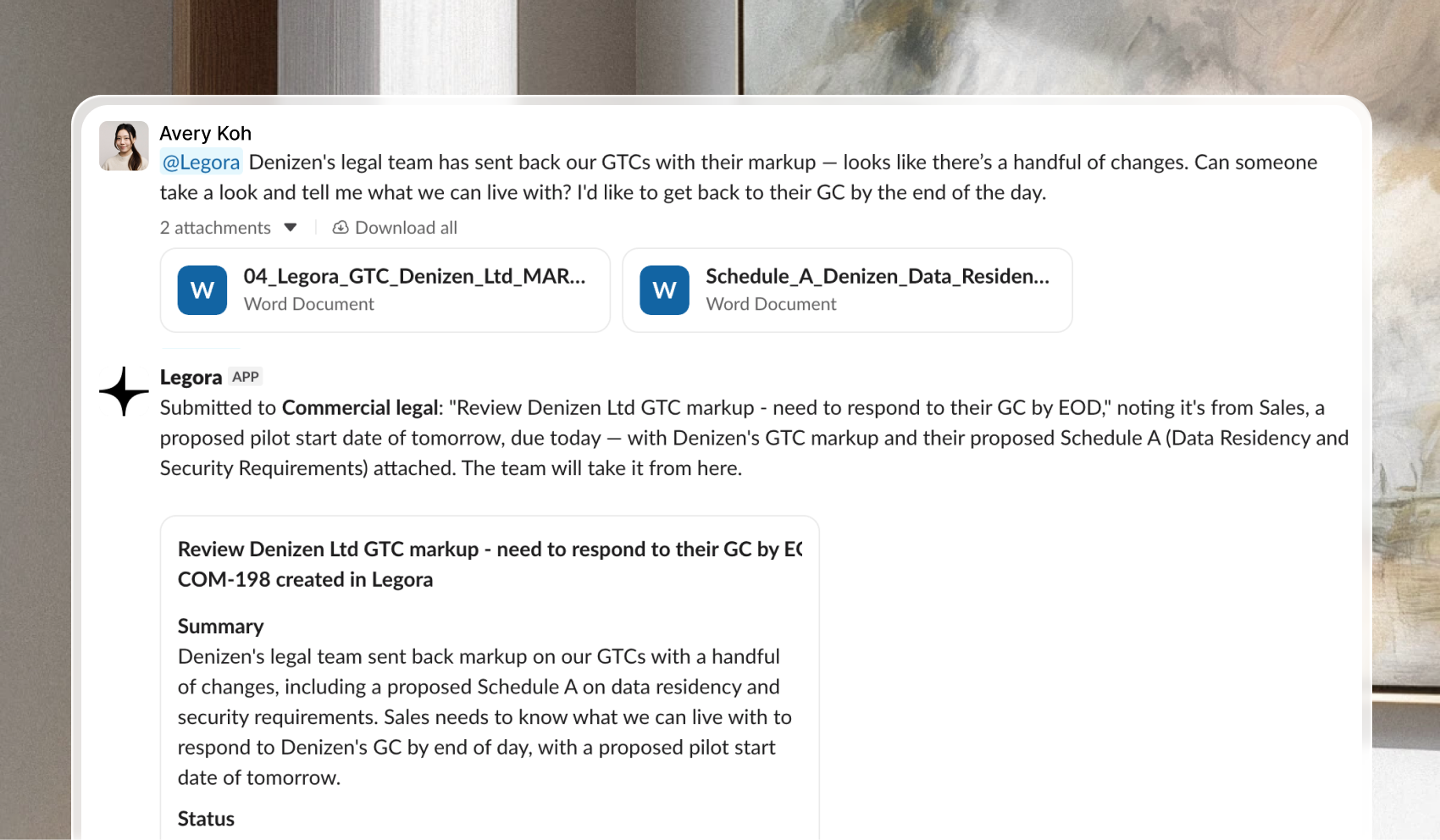 What happens next:
- The team picks up the ticket and works on it.
- The answer comes back in the same thread, with any files they send.
- The destination is chosen from the message and the files, and replies use the language you wrote in.
- Mention @Legora again to add context, or to ask for the current status.